
No products in the cart.
Roll over image to zoom in
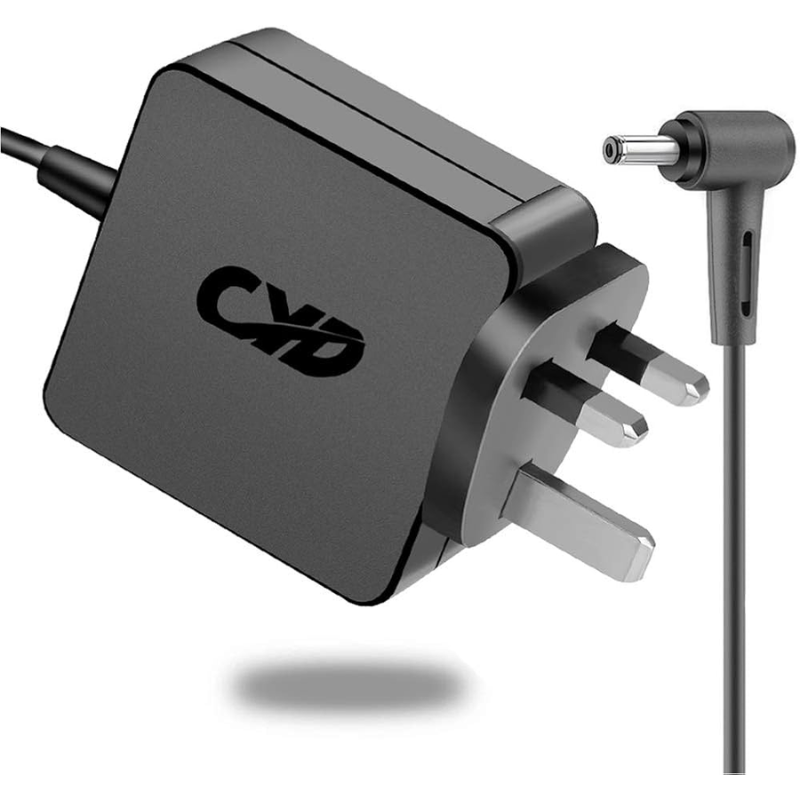
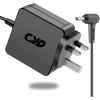
Power Adapter Charger for Asus F756UA
KSh 3,368.00
Technical Specifications
Power Adapter Charger for Asus F756UA
The Asus F756UA is a large-format 17.3-inch desktop-replacement notebook engineered for daily office productivity, multi-tab web research, and high-definition media streaming. Powered by energy-efficient U-series Intel Core processors (such as the i5-6200U or i7-7500U) paired with integrated Intel HD Graphics, this laptop utilizes a expansive motherboard architecture that requires highly consistent voltage delivery. Because driving a massive 17.3-inch display panel creates a continuous electrical base load, maintaining a completely stable, noise-free direct current (DC) feed is vital to prevent sudden backlight flickering, system responsiveness drops, or erratic battery behavior.
Deploying a low-grade third-party charger with inadequate voltage smoothing can inject unwanted electrical noise into the motherboard, causing jumpy touchpad tracking, increased system thermal limits, or early breakdown of the internal charging circuits.
Asus F756UA Product Overview
This precise replacement power supply is designed explicitly to match the unique hardware parameters and electrical load required by the 17-inch Asus F756UA configuration. While several parallel smaller-screen laptops in the broader Asus family made the transition to tiny 4.0mm mini-pins, the Asus F756UA relies strictly on the heavy-duty 5.5mm outside diameter by 2.5mm inside diameter (5.5mm × 2.5mm) straight barrel connector. This broad connector profile provides excellent physical support within the charging port, significantly lowering the risk of accidental loose connections, pin wobbles, or connector snap from cable pulls. Outfitted with high-quality internal filter capacitors and an insulated transformer block, it manages thermal distribution safely during active computing sessions.
Asus F756UA Key Features
-
Thick 5.5mm × 2.5mm Barrel Profile: Provides a tight structural interface inside the large-profile power port, mitigating physical wear and safeguarding the internal charging pins.
-
Continuous 65W Power Buffer: Supplies a highly reliable 19V output at 3.42A, giving the Intel Core processor and expansive 17.3″ display panel ample power overhead to manage processing spikes without throttling.
-
Multi-Stage Safety Protections: Features active layers of over-voltage protection (OVP), over-current protection (OCP), and short-circuit protection (SCP) to cushion your laptop from unpredictable public power grid fluctuations.
-
Universal Voltage Support: Compatible with alternating current (AC) input levels ranging from 100V to 240V, adapting effortlessly to different regional electrical grids.
Asus F756UA Technical Specifications
Asus F756UA Price Breakdown
Investing in a well-shielded, premium-grade charging brick keeps raw high-frequency noise from passing into the internal hardware layers, effectively protecting your battery cells and maintaining cooler system operations:
Asus F756UA Pros & Cons
Pros:
-
Stable High-Overhead Line: Easily accommodates the large 17.3-inch screen power requirements without tripping internal safety breakers.
-
Enhanced Port Durability: The thicker 5.5mm x 2.5mm barrel design is mechanically resilient, making it highly resistant to accidental snapping or bending from standard cable tension.
-
Widespread Part Compatibility: Because this legacy barrel configuration is incredibly common across older laptops, finding spare parts or replacements is simple.
Cons:
-
Not Compatible with Slim Pins: Cannot fit modern, smaller Asus configurations (which rely on the narrow 4.0mm × 1.35mm slim pin port), making cross-sharing chargers within a mixed household difficult.
-
Bulkier Cable Footprint: The heavy-insulated copper gauge wire and dense internal transformer block take up slightly more space in travel sleeves.
Asus F756UA Verdict
To get your Asus F756UA charging perfectly again, securing a power adapter that features a 19V output rating combined with a 5.5mm × 2.5mm standard barrel plug is absolutely essential. Sticking with a minimum 65W power capacity ensures your laptop maintains peak operating speeds and avoids power starving, protecting your main system board from unnecessary thermal wear.


Reviews
There are no reviews yet.