
No products in the cart.
Roll over image to zoom in
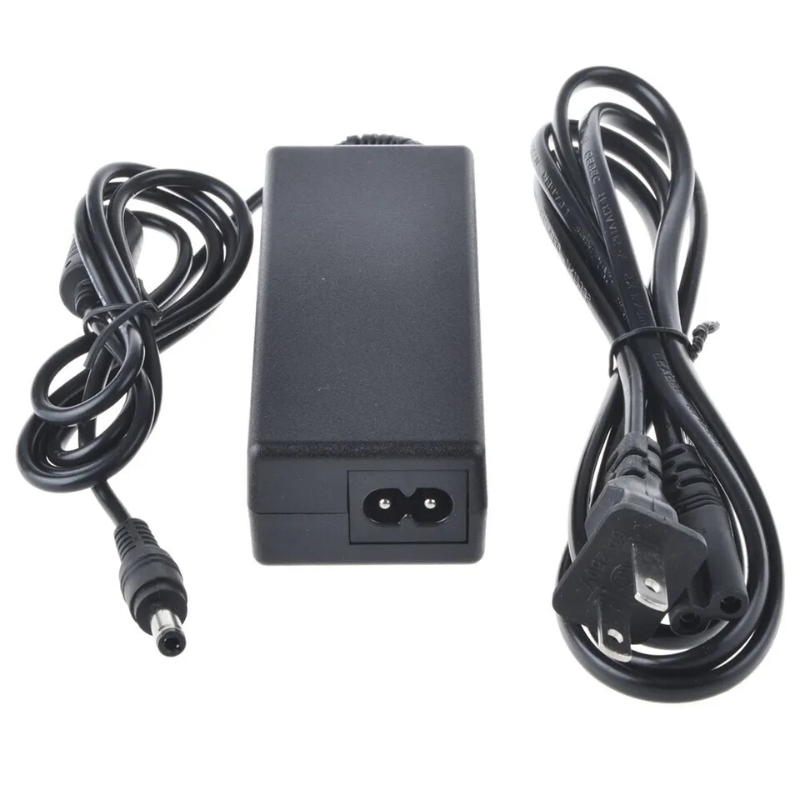
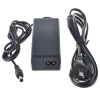
Power Adapter Charger for Asus K552EA-DH41T
KSh 3,109.00
Technical Specifications
Power Adapter Charger for Asus K552EA-DH41T
The Asus K552EA-DH41T is a touch-enabled 15.6-inch multimedia and productivity laptop configured around a quad-core AMD A4-5000 processor and integrated Radeon HD 8330 graphics. Because this specific sub-model drives an active capacitive multi-touch digitizer display layer alongside its standard computing core, maintaining a clean, completely unfiltered direct current (DC) line with zero ripple noise is vital to keep the machine running optimally.
Relying on an unverified, low-grade replacement charger or an underpowered power block introduces a massive risk of voltage instability. This electrical noise can lead to jumpy or non-responsive touchscreen inputs, erratic trackpad tracking, unprompted battery discharge cycles, or serious degradation of the internal motherboard power regulation tracks.
Asus K552EA-DH41T Product Overview
This precise replacement power supply is engineered explicitly to match the hardware parameters and electrical load required by the Asus K552EA-DH41T architecture. While smaller or modern ultrabooks shifted over to miniature slim pins, the Asus K552EA-DH41T configuration relies strictly on the classic, heavy-duty 5.5mm outside diameter by 2.5mm inside diameter (5.5mm × 2.5mm) straight barrel connector. This broad connector profile provides deep, solid mechanical seating inside the notebook’s power input jack, minimizing the risk of loose contact connections or internal solder fracturing due to everyday cable pulling. Built with heavy-gauge copper internal windings, it converts power safely and efficiently.
Asus K552EA-DH41T Key Features
-
Thick 5.5mm × 2.5mm Circular Tip: Precision engineered to lock securely inside the wide-profile K552EA-DH41T power port, standing up to the standard physical strain of daily desktop use.
-
Continuous 19V DC Line Regulation: Supplies a highly reliable 19V line, giving the core components and touch processing layers ample power overhead to manage performance spikes without system throttling.
-
Advanced Safety Shielding: Features active layers of over-voltage protection (OVP), over-current protection (OCP), and short-circuit protection (SCP) to cushion your laptop from unpredictable public grid fluctuations.
-
Universal Travel Input: Seamlessly handles alternative input voltages varying from 100V up to 240V, supporting global plug-and-play operation across diverse utility lines.
Asus K552EA-DH41T Technical Specifications
Asus K552EA-DH41T Price Breakdown
Investing in a well-shielded, premium-grade charging brick keeps electrical line noise from distorting motherboard data tracks and protects the long-term cell chemistry of your battery:
Asus K552EA-DH41T Pros & Cons
Pros:
-
Stable High-Overhead Line: Easily accommodates the large 15.6-inch touchscreen and internal component requirements without tripping internal safety breakers.
-
Resilient Tip Design: The 5.5mm x 2.5mm thick metal barrel is highly resistant to accidental bending or crushing from standard cord tension.
-
Excellent Part Availability: This classic barrel design is heavily ubiquitous, making cross-compatible replacement parts highly accessible in the market.
Cons:
-
Not Compatible with Slim Pins: Cannot fit modern, smaller Asus configurations (which rely on the narrow 4.0mm × 1.35mm slim pin port), limiting adapter sharing across newer devices.
-
Bulkier Cable Footprint: The heavy-insulated copper gauge wire and dense internal transformer block take up more travel space compared to modern ultra-thin ultrabook chargers.
Asus K552EA-DH41T Verdict
When replacing the charging adapter for an Asus K552EA-DH41T, choosing a 19V output profile paired with a standard 5.5mm × 2.5mm barrel plug is absolutely mandatory to achieve a working physical and electrical connection. While a baseline 65W capacity handles general workflows flawlessly, moving up to a 90W power capacity introduces a broader thermal safety margin, keeping the entire charging setup operating cooler through extended office or multi-touch computing sessions.

Reviews
There are no reviews yet.